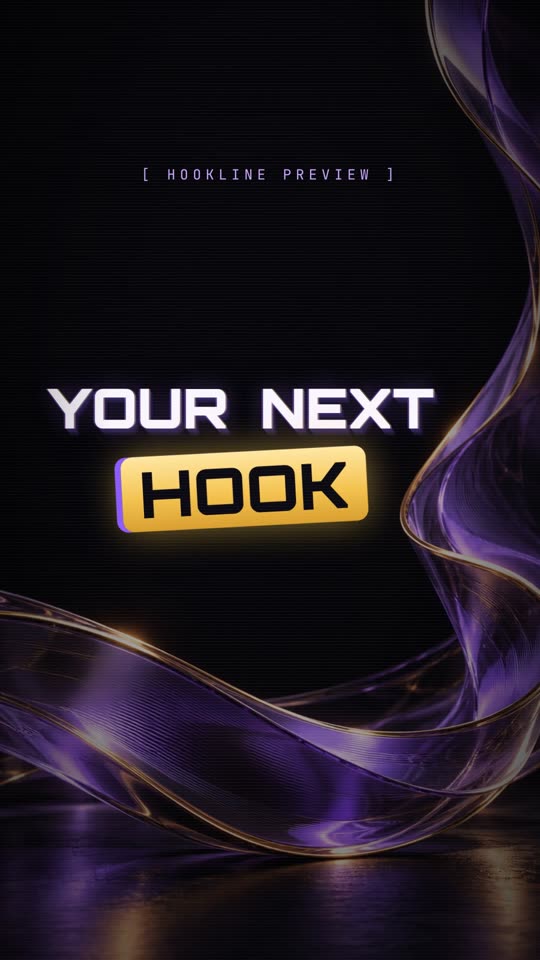
Hooks, captions and edits. Inside After Effects.

Hookline builds hooks, auto captions and highlighted words. Studio adds transitions, color, B-roll and speed ramps. What you see in the panel is what lands in your comp.

Products

Two panels. One workflow.

Hookline handles the text on your reels. Hookline Studio adds the full editing toolkit.

v1.02026Hooks · captions · reels

Text for short-form, done in one panelHookline

Hooks, auto captions and REEL highlight words.

  • 86 presets: 25 hook, 30 caption and 31 reel, plus 6 Word Mix
  • Elements and sounds pinned to any word
  • Check Captions, client dictionary and Find/Replace
  • Hook Variants, Batch Queue and Translate into separate language comps
  • Your own presets, brand kits and Karaoke word color

from $9.99/mo

MOST COMPLETE
v1.0Everything we use on client edits

HooklineStudio

Everything in Hookline plus transitions, color, B-roll and speed ramps.

  • Everything in Hookline
  • 61 PRO transitions in families, with style and direction
  • 19 color gradients, over the whole video or over B-roll
  • COLOR, B-ROLL and SPEED RAMP tabs

from $24.99/mo

Inside 1.0

One panel. Four tabs.

Everything lives in a single docked panel inside After Effects.

01HOOK

Opening hooks

The title for the first seconds of the reel, from a preset, with 2–6 look variants in linked comps.

25 hook presets
02CAPTIONS

Auto captions

Captions from your voice, recognized on your own computer. Check every word before anything is built.

30 caption presets
03REEL

Highlighted words

Reel captions in 2 or 3 rows with the words that matter on top or bottom, each with its own move.

31 reel presets · 6 Word Mix
04PRESETS

Your looks

Change any preset and save it as your own. Lock a client's fonts and colors in a brand kit.

Brand kits · import / export
00:00:00:00

Review

Check every word before it is built.

00:00:02:00

Elements on words

8 types pinned to a word: underline, arrow, circle, check, counter, badge, PNG and callout.

00:00:04:00

Sounds

13 originals made for Hookline, plus your own library.

00:00:06:00

Hook variants

2–6 hook looks in linked comps.

00:00:08:00

Batch queue

Many clips, one review each.

00:00:10:00

Translate

A language version in its own comp.

00:00:12:00

Check captions

Timing, reading speed and the safe zone.

00:00:14:00

Gradients

2–6 colors or your own image inside the letters.

Try it

Pick the word that matters.

Type a line, tap the words you want to hit and choose one of three presets. This is how a Hookline reel caption is set up.

Highlight · tap a word
Preset

Max two lines · always inside the safe zone · sounds from Hookline's own library

HOOKLINE STUDIO

Everything else, in the same panel.

Studio includes everything in Hookline, plus the editing tools below.

Transitions

61 PRO transitions in seven families, from swipes and whips to light leaks and glitches.

Color

19 gradients over the whole video, each with its own direction, blend mode and strength.

B-roll

Animate images and clips with entrances, exits, frames and a gradient over the image.

Speed ramp

Ramp one clip or several, let Studio place the ramps on the music beat, then adjust them by hand.

Editable in the timeline

Hooks, captions and REEL words from Studio stay editable in the After Effects timeline: trim, extend or move a layer and the animations follow.

Preview is
the result.

Position, size and look in the panel are what Hookline builds in your comp. Check every word before anything is built, then change it live with undo.

What's included

Everything in the box.

Hookline v1.0

86presets: 25 hook, 30 captions, 31 reel
6Word Mix moves
13original sounds, free for client work
8element types pinned to words
2–6hook variants and gradient colors
∞your own presets and brand kits

Requirements

  • After Effects2022 or newer
  • One word in a different font or outline24.3 or newer
  • PlatformWindows only (Mac later)
  • Licence2 computers per subscription
  • Auto captionsOffline, on your computer
  • Opens asWindow › Extensions › Hookline (Studio: Hookline Studio)
250 pxFree at the top
250 pxFree at the bottom
50 pxLeft and right
x 885Text stops here, lower half

The one thing nobody tells you

Essential

Clean white text, one quiet highlight, a soft pop. For coaches, doctors and experts.

The one thing nobodytellsyou

Luxury

Fine spaced capitals, a gold serif word and slow moves. For brands that sell a feeling.

The one thing
nobody tells you

Signature

Heavy type, gold highlight boxes, fast pops and Word Mix moves. For creators who talk fast.

Pricing

Try it free for 7 days.

Pay monthly or yearly. Yearly gets you 2 months free. Windows only for now, licence for 2 computers.

Monthly Yearly

Hookline

$9.99/mo
2 months free
  • Opening hooks: 25 presets with look variants
  • Auto captions: 30 presets, Check Captions
  • REEL highlight words: 31 presets, plus Word Mix
  • Your own presets and brand kits
Start 7-day free trial

Card required. Cancel anytime before day 7 and you won't be charged.

MOST POPULAR

Hookline Studio

$24.99/mo
2 months free
  • Everything in Hookline
  • 61 PRO transitions in seven families
  • 19 color gradients, over the whole video or over B-roll
  • B-roll entrances, exits and frames
  • Speed ramps, placed on the music beat
Start 7-day free trial

Card required. Cancel anytime before day 7 and you won't be charged.

FAQ

Questions

Something missing? Send a DM to @hookline.ae.

What is Hookline Studio?

Everything in Hookline, plus transitions, color and gradients, B-roll, and speed ramps. All of it stays editable in your timeline.

Which After Effects versions work?

After Effects 2022 or newer, as a docked panel: Window › Extensions › Hookline. A different font or outline on a single highlighted word needs 24.3 or newer.

Do I need to change any After Effects settings?

Only for Hookline Studio, and only once: in After Effects, go to Edit › Preferences › Scripting & Expressions, tick Allow Scripts to Write Files and Access Network and click OK. No restart needed. Studio saves your presets, looks and render helper files to your computer. Hookline (captions) doesn't need it.

Does it work on Mac?

Not yet. Hookline is Windows only for now. The Mac installer comes later.

Do auto captions need the internet?

No. Speech recognition runs on your own computer. The panel downloads it once during setup, and each download is checked before it is installed.

How does Translate work?

Paste your own translation, or connect your own DeepL or LibreTranslate key. Before anything is sent, Hookline shows which service gets which text. Your key stays on your computer.

Are the sounds free to use?

Yes. The 13 built-in sounds were made for Hookline and can be used in client work. You can also add your own.

Will it slow down my project?

No heavy layer stacks. A hook is one control layer plus one text layer per line, and edits update the layers you already have.

How does pricing work?

Hookline is $9.99/mo or $99.99/yr. Hookline Studio is $24.99/mo or $249.99/yr. Yearly gets you 2 months free. Every plan starts with a 7-day free trial: card required, cancel anytime before day 7 and you won't be charged.

How does the free trial work?

Every plan starts with a free trial that lasts 7 days. A card is required. If you cancel before day 7, you won't be charged.

How do I cancel?

Anytime, from the Lemon Squeezy customer portal link in your receipt email. Your plan keeps working until the end of the period you've paid for.

Can I use it on two computers?

Yes, one subscription covers 2 computers. To move Hookline to a different computer, deactivate one in the panel's settings first.

What is your refund policy?

Monthly plans aren't refunded after a charge, because the 7-day free trial is there for testing. Yearly plans can be refunded within 14 days of the charge. And you always get a refund if Hookline doesn't work on your computer and we can't fix it.

How do I get support?

Email [email protected] or visit the support page.